Image Shift
Image remixing app for iOS and iPadOS

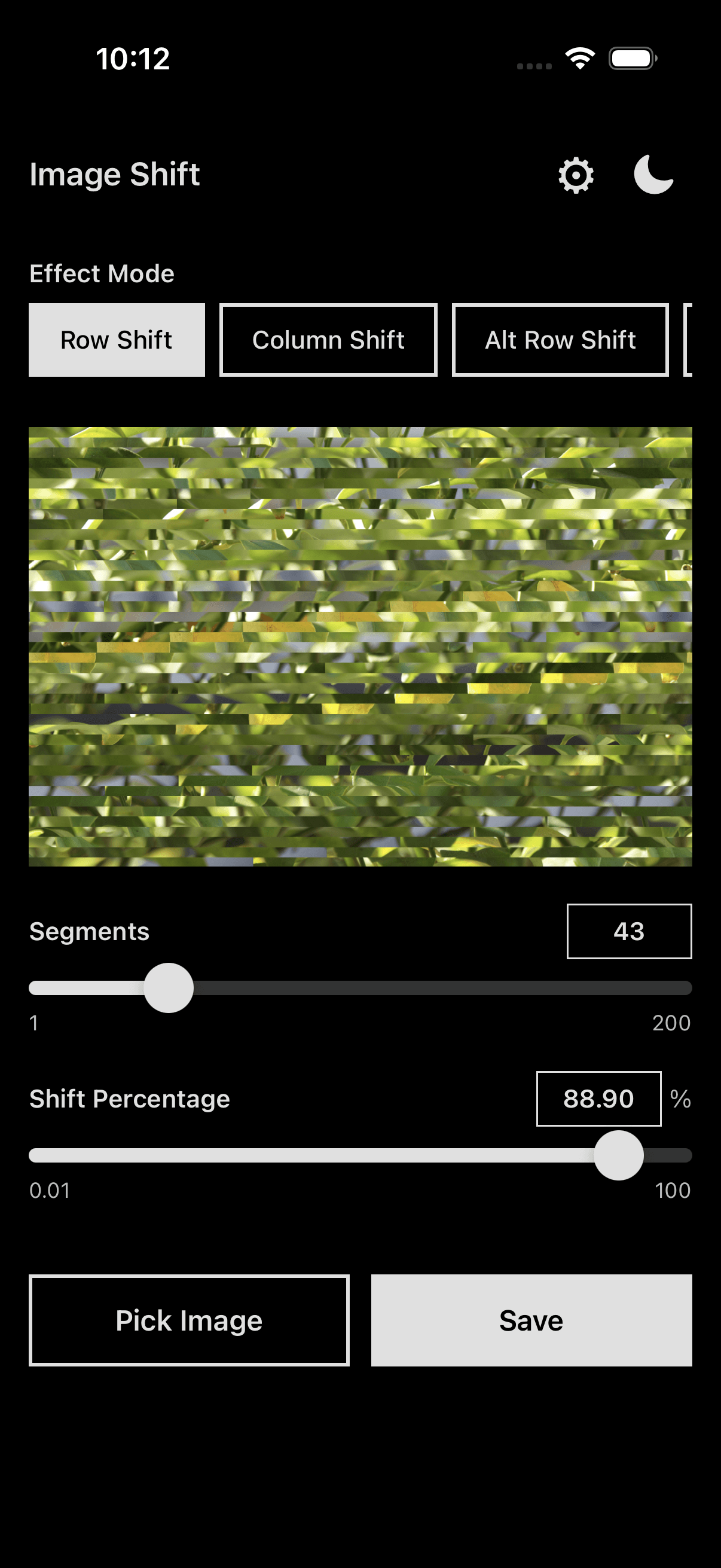
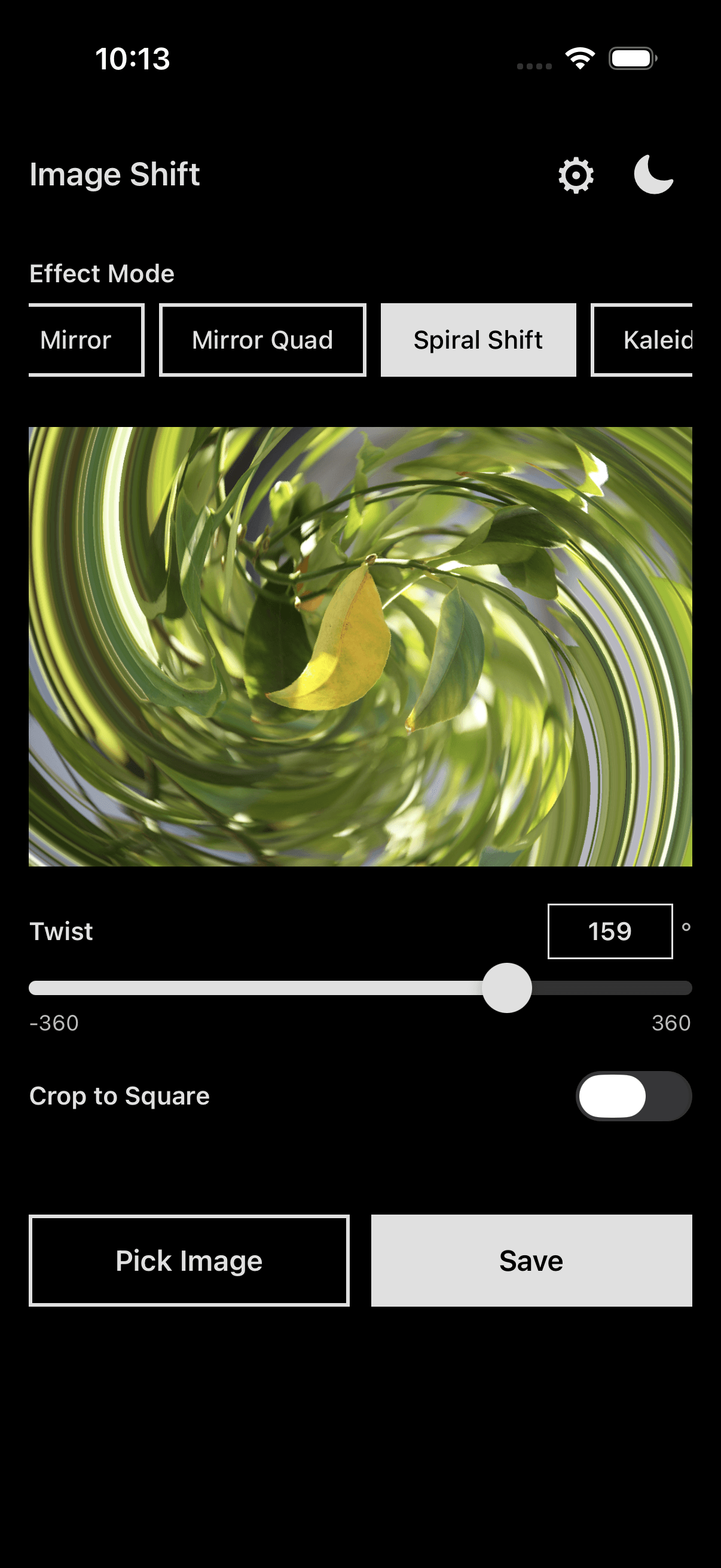
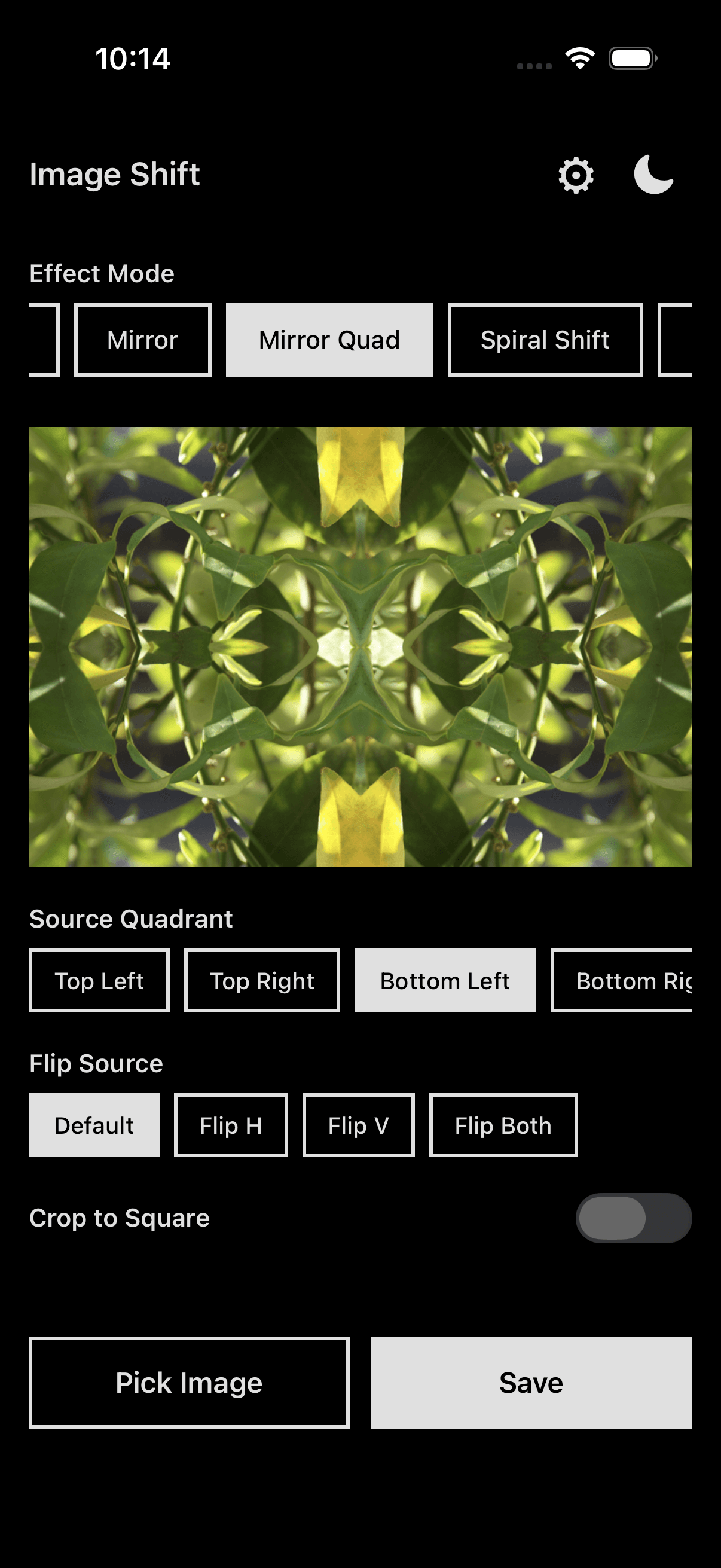
Image Shift is an app for remixing photographs through pixel-level transformations — row shifting, pixel sorting, block shuffling, mirroring, kaleidoscope effects, and more. It sits at the intersection of my art practice (algorithmic image manipulation, controlled randomness) and native mobile development. The app is available on the App Store for iOS and iPadOS.
Motivation
I've been making algorithmic art for years — pixel sorting, row shifting, controlled chaos applied to photographs. The techniques come from my Algorithmic & Digital Random Art series, and the thinking behind them is something I wrote about in Chance and Randomness in Algorithmic Art.
The problem was workflow friction. I was running these effects through scripts on my computer, which meant I couldn't experiment freely — pick up my phone, shoot something, remix it immediately. I wanted to put the full processing pipeline in my pocket with real-time preview and direct export to the camera roll.
Technical approach
The app is built with React Native and Expo, using @shopify/react-native-skia as the image processing foundation. Skia gives direct access to pixel data and GPU-accelerated rendering without bridging to native image frameworks for every operation.
The processing architecture has two engines that work together:
- GPU shader engine — For effects that are pure coordinate remaps (row shift, column shift, alternating shifts, mirror, diagonal shift, spiral, kaleidoscope, radial stretch, block zoom, frame), I wrote GLSL shaders that run on the GPU. These produce results in milliseconds even at full resolution because the transformation is just a lookup table for where each pixel should come from.
- JS pixel-data engine — Effects that need sequential logic or random permutations (pixel sort, random row/column, block shuffle) fall back to a JavaScript engine that reads raw RGBA pixel data into a Uint8Array, processes it, and writes back to a Skia image. This is slower but necessary for algorithms that can't be expressed as simple coordinate transforms.
The app has 16 effect modes total, each parameterized with controls like segment count, shift percentage, sort direction, oscillation separation, and diagonal angle. Parameters update the preview in real time via the shader path, so you see results as you drag sliders.
Interesting engineering problems
Preview vs. full-resolution processing
Phones take 12–48MP photos. Running pixel manipulation on a 48MP image at 60fps is not realistic, even on GPU. The solution is a three-tier image pipeline: the source image is held at full resolution for final export, a preview copy is scaled down to fit the screen for the shader engine, and a smaller processing preview is used for the JS pixel-data engine. When you hit save, the full-resolution image is processed once with the current parameters and written to the photo library.
Snapshot as undo
Instead of a traditional undo stack (which would mean holding multiple copies of large images in memory), Image Shift uses a "snapshot" model. You apply an effect, and if you like the result you can snapshot it — the processed output becomes the new source image. This lets you layer effects without blowing up memory, and the mental model is intuitive: you're building up transformations one step at a time.
Async save queue
Saving a processed image to the photo library involves encoding to PNG, writing to disk, and registering with MediaLibrary — all of which take time. Rather than blocking the UI, saves go into a queue that processes them in the background. You can keep working on the next image while the previous one finishes saving.
Outcome
Image Shift is live on the App Store and I use it regularly in my own art practice. It's become a core part of my workflow for the kind of images I make — quick experiments, layered effects, happy accidents that happen when you push parameters to unexpected ranges.
What's next: I'm exploring adding batch processing and more shader-based effects. The GPU path is fast enough that there's room for much more complex transformations without sacrificing the real-time preview.